

If you run a manufacturing business, you’ve probably been told that your ERP system can handle everything. Finance, stock, purchasing, HR, and yes, production.
It sounds like a great idea in the grand scheme of things, as there’s only one source of truth. But if you talk to people who run production, like the managers, planners, and operators, you’ll find that jobs are tracked on whiteboards and spreadsheets are emailed back and forth.
The ERP system has the data, but not the right data, in the right place, at the right time.
This blog post looks at why generic ERP systems often fall short when it comes to production management, and why bespoke production management software is worth considering instead.
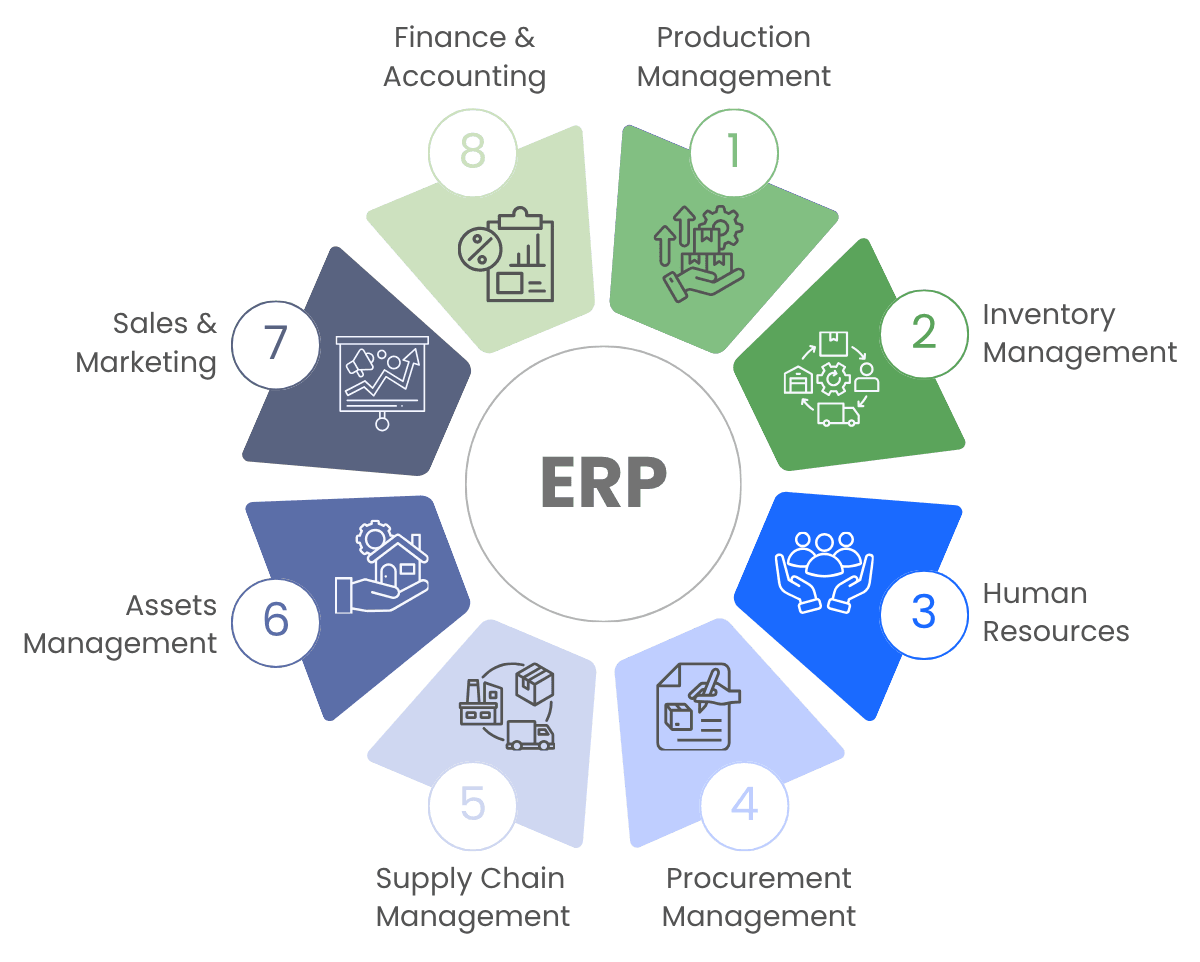
What ERP systems are built to do
- Bills of materials and product structures
- Purchase orders and supplier management
- Stock and inventory levels
- Sales orders and customer management
- Basic production orders and job scheduling
Most ERP systems include some production functionality, but it’s rarely built for the demands of a live shop floor.
Challenges of ERP Systems in Production Management

Limited real-time visibility
ERP systems record what has happened (a job started, or a batch was completed, or a quality issue), but they don’t always show what’s happening in real-time, which matters on a busy shop floor. Most ERP systems produce reports that summarise what’s already happened, rather than alerting teams to what’s happening now.
Rigid scheduling
In production planning, jobs can get reprioritised, or machines can go down. ERP systems typically offer limited tools for dynamic rescheduling, and most of what’s available requires manual input that takes time the planning team doesn’t have.

Delayed data entry
Entering data into an ERP system often means walking to a terminal, logging in, navigating menus, and completing forms designed for a desk user. Operators skip it, or batch it up at the end of a shift, by which point the data is already out of date.
Not designed for your process
ERP systems are built for a wide range of industries and company types, which is reflected in the production module. It covers common ground but rarely fits the specific way any individual manufacturer plans, schedules, and tracks work.
Most manufacturers don’t abandon their ERP system when they hit these limits. They work around it. And the workarounds have real costs. We cover the cost of workarounds in “The Moment Workarounds Become More Expensive Than Solutions”
Production management software
- Data capture is designed for operators. That means there will likely be touchscreen interfaces, barcode scanning, label printing, and simple sign-off steps so data is recorded accurately.
- Scheduling tools have drag-and-drop rescheduling, capacity views, and the ability to respond to changes.
- Real-time dashboards show job status, machine utilisation, and output as it happens.
- Alerts flag problems as they emerge, which means teams can respond before a small issue becomes a big one.
Good production management software sits alongside an ERP system, handling the shop floor data that ERP systems struggle with.
Bespoke production management software
There are many off-the-shelf production management systems out there, which are great for businesses with a relatively standard process.
But manufacturing businesses often have specific requirements (particular job types, unusual workflows, legacy machines, or integration needs) that standard products don’t cover.
Bespoke production management software is built around your specific process, which means:
- The interface reflects how your operators work
- The data it captures matches what your business needs
- Integrations connect with your existing ERP system, rather than creating a new silo
- Reports and dashboards answer the questions your managers ask
Bespoke software requires a development investment and takes longer to build. But for businesses where production efficiency is a competitive factor, the return can be significant.
We recently developed a production tracking system for our client, and you can read the case study here.
ERP systems are valuable tools for manufacturing businesses. But production management is a specialist problem, and most ERP systems aren’t built to solve it fully.
If your shop floor is running on workarounds, spreadsheets, whiteboards, and informal systems that exist outside the ERP, and you need a bespoke solution, take a look at our software development services or contact us.
