


If you want to deliver high-quality software to your users, then you’ll need to make sure you’re working with a software company that has a structured process in place to take you through all the phases of software development.
In this blog, we discuss the importance of the software development life cycle (SDLC) and the different phases and models, so you can produce cost-effective, high-quality software for your users and clients.
What is the software development life cycle?
The SDLC is a framework that provides a structured process for development teams to follow, taking a project from planning to completion, and defining the steps involved in the software development process.
At Koderly, we use various models to suit the project and customer.
The key benefits of following the SDLC are:
- Allows you to manage your project effectively
- Increases project visibility and collaboration
- Provides you with a step-by-step process that is followed by all members of the team
What are the phases of the SDLC?
Different SDLC models and methodologies adopt different approaches to the phases of the SDLC. However, the core phases include:

1. Requirement gathering
This phase involves working with a Business Analyst (BA) to define the scope of the project and document the requirements. This phase helps the BA to get an idea of the scope before your start planning your project.

2. Planning
During this phase, development and project management teams work together to define timelines and resources and produce an estimate of the time and cost.
This estimate can then be used to establish if there is a valid business case for the project.
The teams will look at feasibility of delivering the project. There are five types of feasibility checks (Guru99):
- Can they develop the software within the client’s budget?
- Can they develop the software within the timelines provided by the client?
- Does the project meet cyber law rules and other regulatory frameworks?
- Can they meet the operations according to the requirements?
- Can the computer system support the software?

3. Design
Once the development team has decided they can deliver your project, they will define the technical details and help the client visualise the product.
The design specification may include the technical architecture, software components, code development, and UI requirements.

4. Development
You’re happy with the specification, so it’s time to start developing software. The team plans their work in advance, referencing the requirements documents and estimated timelines, and then starts to build your software application.
The client should be kept up to date with progress.

5. Testing and deployment
Following development, the software is thoroughly tested.
Read our blog “What is Software Testing, and How Does it Work?” for the different types of software testing.
Testers may discover defects, so the software is passed back to the developers to fix any bugs, before being tested again. This cycle continues until the software has passed testing and is ready to be deployed to the production environment so that the end-client can start using the software.

6. Maintenance
It’s common to need ongoing maintenance and support once you’re using your software in a live environment. You may also want to continue enhancing the product and adding new features.
What are the SDLC models/ methodologies?
The most common SDLC models and methodologies are:
Scrum model

The scrum model breaks the project into small cycles (or sprints) and is an iterative and collaborative approach.
Instead of developing the complete product in one go, each sprint builds on the previous functionality. After each sprint, the changes are delivered to you for feedback.
This model is best for teams that like frequent and fast feedback cycles; Sprints normally take one to four weeks, so you see the product evolve rapidly. It’s also effective if the full scope and requirements are not clear from the outset and are likely to change as the project progresses.
When using the Scrum methodology, you must know exactly what you want from each sprint, as the approach is focused on working software and essential documentation, and you will work closely with the developer to define the sprint goals.
With Scrum, you commit to a fixed cost and number of hours per sprint and the development team estimates the number of sprints needed for each distinct phase of the project.
Waterfall model
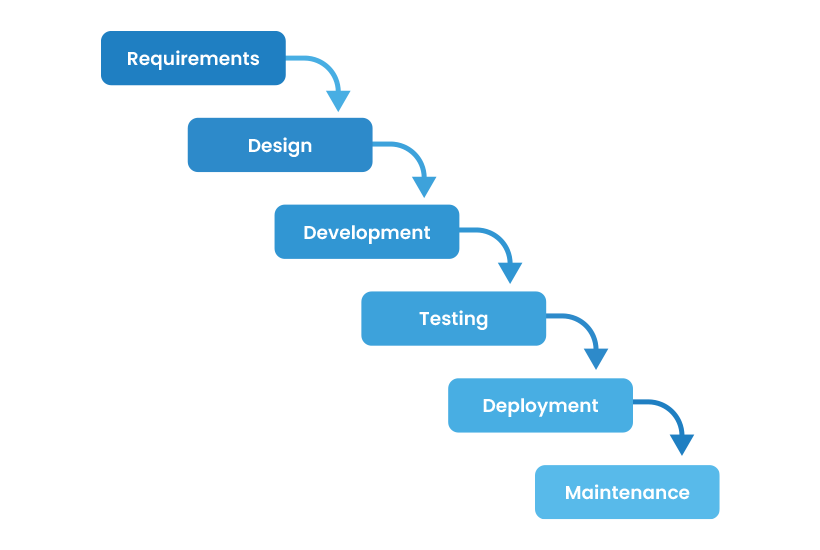
The waterfall model follows a path through the pre-defined phases, “waterfalling” into the next phase.
Each phase of the model must be completed before the next one starts, and the development team define and document the entire scope before writing any code. This often means you wait a little longer to deliver the product, but you will have a good idea about the timeline once you’ve documented the requirements and estimated the work.
When working with a software development company, like Koderly, and using the Waterfall methodology, you usually pay a fixed cost for requirements gathering and documentation. At this stage, you are not committing to going ahead with development. However, once you’ve agreed on the requirements, you pay a fixed cost for development, assuming your requirements remain as documented.
Iterative model
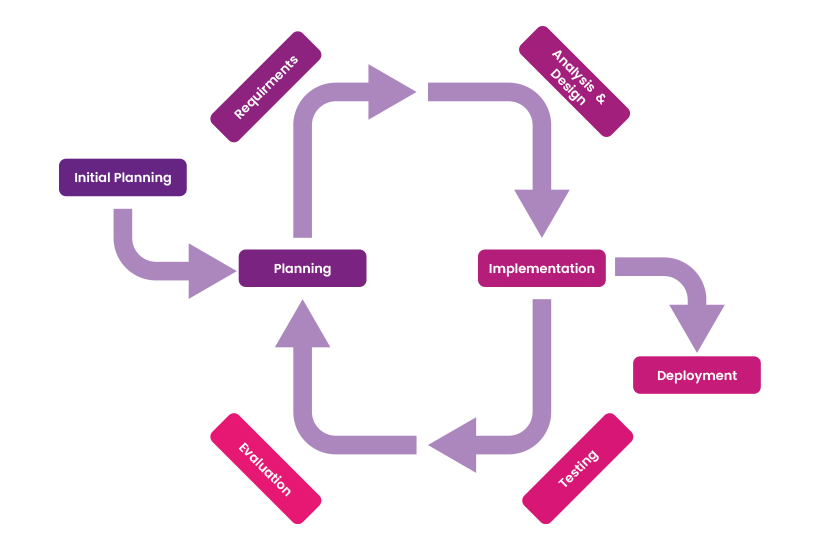
The iterative model divides the project into smaller chunks.
Developers will develop a quick version of the product and continue to iterate, so that the software continues to evolve. Once there is a product that meets all the requirements, the software is then deployed to the client.
If you’re looking for a model that lowers risk and provides continuous feedback, the iterative model might be for you. However, you need to understand the basic requirements to start the initial development.
V-shaped model
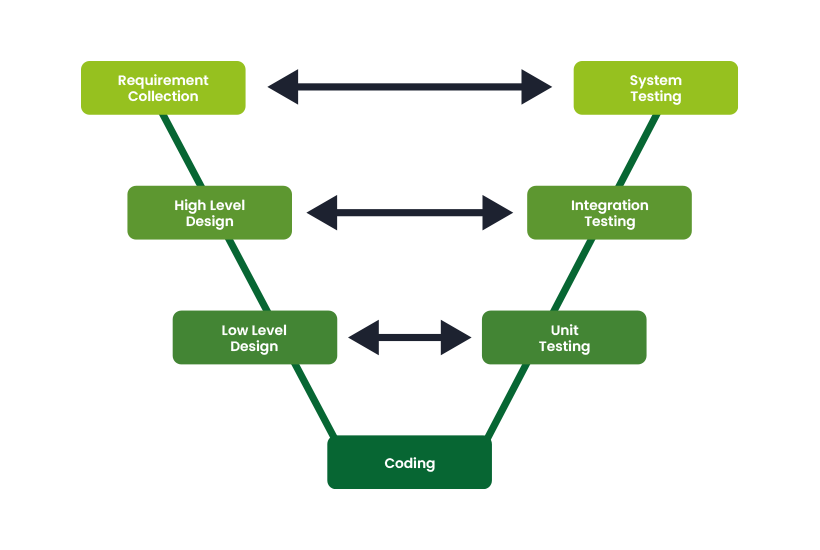
This is known as the verification and validation model and is an extension of the waterfall model.
The development and testing phases are planned in parallel.
This model is ideal for small projects and is easier to manage. However, it’s difficult to change the functionality of an application once it reaches the testing stage.
Spiral model
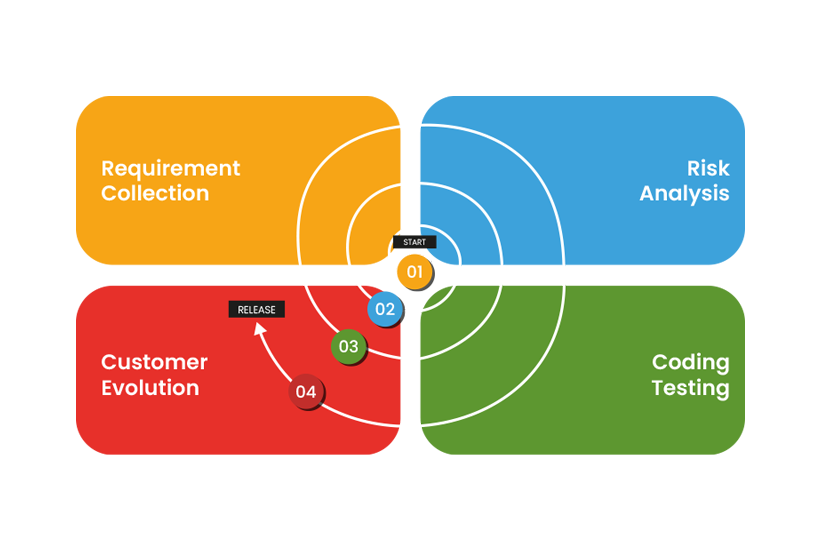
The spiral model is a combination of the iterative model and the waterfall model. However, it pays more attention to risk analysis.
The spiral model is the most flexible SDLC model, focusing on repetition and iteration, allowing the software to be refined following each review, whilst also going through all the phases.
This model improves risk management as the riskier sections can be handled first. However, it’s a complex model to manage.
Big bang model
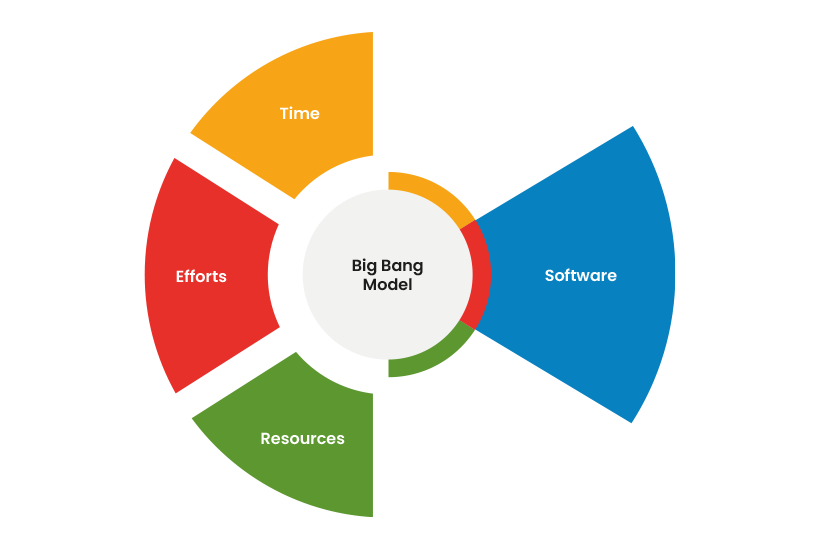
The big bang model doesn’t follow a specific process like the other models. It involves little planning, or requirements gathering, and works best for small projects, as it’s high risk.
Most of the resources are thrown at development, rather than analysis and testing.
This model is perfect for small projects and start-up businesses as it’s a simple model. However, it does come with high risk and uncertainty.
The SDLC helps improve the quality of software and project management, allowing organisations to choose a model that is right for them. All models have their pros and cons, and choosing the right one will help you save time and money.
At Koderly, we develop bespoke software to meet your specific business needs, focusing on enterprise-grade and cloud-native web applications.
If you’d like to know more, visit our software development page or contact us.
